
Turn Still Images Into Ad Videos and Landing Page Motion
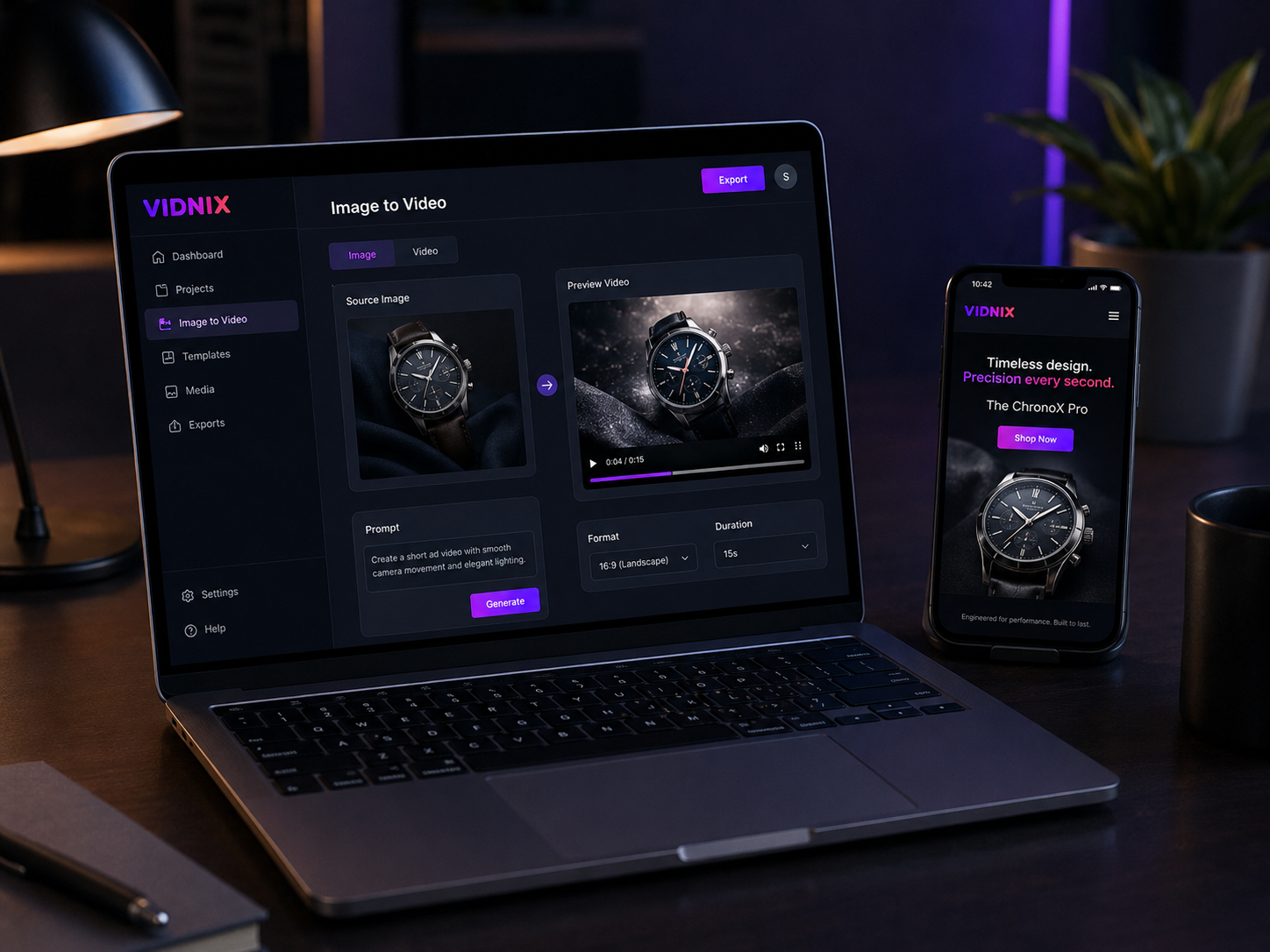
A practical guide to using an AI video generator from image for ads, landing page video, product campaigns, and short commercial motion assets.
For ads and landing pages, a strong still image can do more than fill space. An ai video generator from image can help turn product photos, campaign visuals, interface screenshots, and hero graphics into short motion assets. The goal is simple: make ad creative feel more active, explain one idea faster on a landing page, and guide visitors toward the next action without turning the page into a noisy video showcase.
Why it works Campaign fit Image prep Workflow Landing pages Ad creative Tool path Resources FAQ
Why Image-Based Video Works for Commercial Pages
In paid ads, campaign pages, and product sections, attention is short. A static image can still communicate the offer, but motion gives the visual one more chance to guide the eye. A product photo can feel more present, a hero section can feel less flat, and a campaign message can become easier to notice.
Useful commercial motion is not about adding movement everywhere. It should make one message clearer. For example, it can highlight a product detail, reveal a result, guide attention toward an interface feature, or support a limited campaign offer.
Many teams already have visual assets ready: product photos, app screens, campaign banners, packaging shots, and hero graphics. With a focused image-to-video workflow, those assets can support ad creative, landing page video, retargeting clips, email visuals, and short social posts.
Suitable Campaigns and Page Types
This workflow fits commercial content that already has a clear visual asset. It works best when one image can carry the core message and motion adds focus, rhythm, and polish. It is especially useful for product launches, SaaS feature sections, ecommerce promotion, app landing pages, creator tools, campaign banners, and retargeting ads.
This guide stays focused on ads and landing pages. It does not cover story shorts, film scenes, character narratives, or long-form video production. That boundary keeps the workflow practical for commercial pages and campaign assets.
Prepare the Image Before Creating Motion
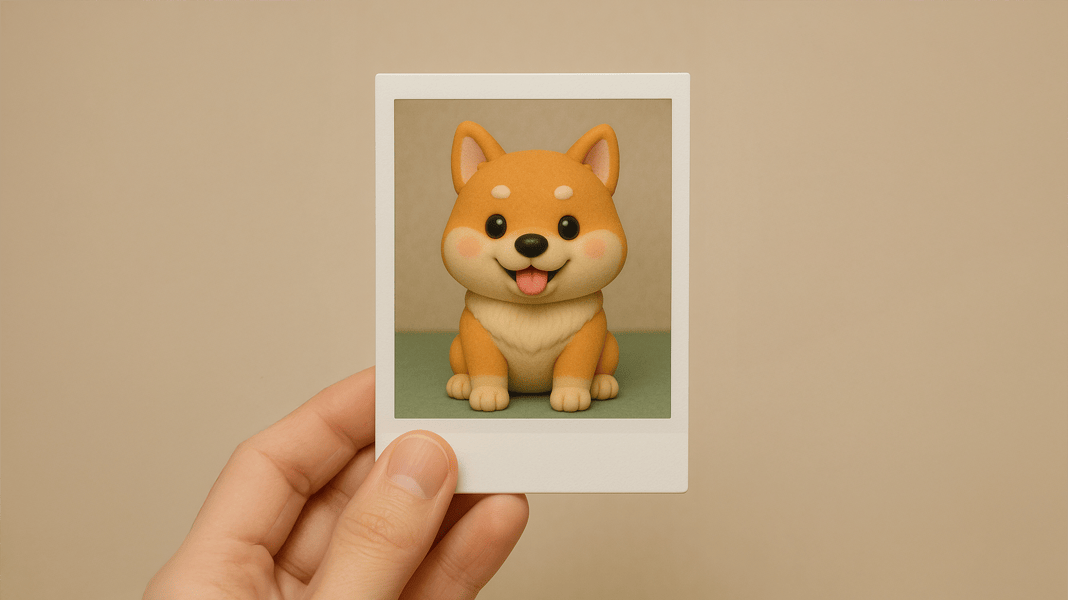
The source image should already explain the offer. A weak visual rarely becomes a strong promo video just because it moves. The best input image has one clear subject, enough empty space, readable details, and a natural direction for the eye.
A product photo should show the product clearly. A software screenshot should focus on one feature area instead of a crowded full dashboard. A campaign banner should leave room for headline text, button placement, and mobile cropping.
The image should also match the page design. Vidnix uses a dark AI SaaS visual style, so darker images, neon accents, soft gradients, and high-contrast subjects usually blend better than flat white graphics.
Input Image Checklist
- The main subject is clear within the first second.
- The image has enough space for future text, buttons, or cropping.
- Important product details are not hidden by shadows or clutter.
- The image can work in square, vertical, or horizontal ad formats.
- The image style matches the landing page or campaign visual system.
Step-by-Step Workflow for Image to Promo Video
A repeatable workflow keeps the result controlled. Instead of generating random clips, start with a commercial goal, choose a strong image, write a simple motion prompt, and review the result in the real placement.
Step 1: Define One Commercial Goal
The video needs one job. It may support a product launch, introduce a feature, refresh ad creative, increase landing page engagement, or create a retargeting asset. With one goal, the motion direction becomes easier to control.
Step 2: Select the Strongest Image
Choose an image that already communicates the offer. A clean product photo often works better than a busy collage. A focused interface screenshot usually works better than a full page view filled with small text.
Step 3: Write a Clear Motion Prompt
Describe the movement in plain language. A useful prompt explains the subject, camera direction, focus area, pace, and limits. For commercial content, simple prompt language usually works better than dramatic style words.
Step 4: Review the Clip in the Real Placement
Review the result inside the actual ad or landing page layout. A clip can look polished alone but feel too busy beside a headline, form, price block, or button. Page context matters more than the preview window.
How Landing Page Video Should Support the Next Action
A landing page video should not explain everything. It should make the first screen feel clearer, more active, and more relevant. The best page video supports the headline instead of replacing it.
A product page can use a short loop to highlight shape, material, or use case. A SaaS page can animate a screenshot to guide attention toward one feature. A campaign page can use a moving hero image to reinforce the offer before the first CTA.
Page speed still matters. Large videos can slow down the experience, so landing page clips should stay short, compressed, and placed where they add value. For technical publishing guidance, Google’s web.dev resource on video performance best practices is a useful reference.
Best Landing Page Placements
- Hero section: use subtle motion that supports the headline.
- Feature block: guide attention to one product or software detail.
- Use case section: show the product in context without adding a long video.
- CTA area: use a short final frame that makes the next step obvious.
How Ad Creative Should Use Motion Without Losing the Offer
Ad creative has less time than a landing page. The first frame should already show the product, benefit, or visual hook. The generated motion should begin from a readable image instead of hiding the message behind a slow reveal.
Fast movement is not always stronger. If the product bends, the packaging warps, or the interface becomes unreadable, the ad loses trust. A stable subject with controlled motion often creates a better commercial asset.
A Simple Ad Structure
- Opening frame: the product, feature, or offer appears immediately.
- Motion cue: a zoom, pan, reveal, or parallax effect adds attention.
- Short copy: one benefit line explains the reason to care.
- Detail moment: the video highlights one visible proof point.
- End frame: one clear action stays visible long enough to register.
Recommended Vidnix Selection Path
A strong conversion article should make the next step obvious. The path below connects the reader’s starting point to the right Vidnix page without forcing every visitor into the same tool.
Quality Checks Before Publishing
Before publishing, review the generated video as a commercial asset. A clip may look impressive in preview but still fail inside an ad or landing page. Quality checks should focus on clarity, accuracy, speed, and fit.
- The product, interface, or logo should not warp.
- The first frame should still make sense before motion begins.
- The movement should support the CTA instead of distracting from it.
- The clip should work in the target ad size or landing page section.
- The final file should be short enough for smooth loading and testing.
Related Vidnix Resources
The right workflow depends on the starting asset. Sometimes the image is ready. Sometimes the concept begins with a script. In other cases, the image needs a cleaner look before motion begins.
Image to VideoBest when a product photo, campaign image, or hero visual already exists and needs controlled motion. |
Text to VideoBest when campaign direction starts from written copy, a concept, or a short scene idea. |
PricingBest when multiple creative tests, formats, prompts, or campaign versions need planning. |
FAQ
Can I use one product photo to create a short ad video?
Yes. A clean product photo is often a strong starting point. The best results usually come from a clear subject, simple background, and controlled motion prompt.
Is image-based video better for ads or landing pages?
It can work for both. Ads need a readable first frame and a clear offer. Landing pages need subtle motion that supports the headline, product section, or CTA.
How long should a promo video be?
For most commercial placements, short is better. A few seconds can be enough for a hero loop, ad variation, product highlight, or campaign motion asset.
What should I avoid in the motion prompt?
Avoid prompts that ask for too many movements at once. Also avoid movement that may distort logos, packaging, product shape, interface text, or important visual proof.
Do I need a finished script before using Image to Video?
Not always. If the image already communicates the offer, you can begin with a motion prompt. If the campaign depends on a full written concept, a text-to-video workflow may be a better starting point.
Conclusion: Use Motion to Make the Next Step Clearer
For commercial content, the best video does not need to feel like a short film. It should make the offer easier to understand, help a page feel more active, and give ad creative more visual energy. Image-based motion works best when the source image is clear, the prompt has a purpose, and the final asset fits the placement.
For teams ready to create ad videos from existing visuals, Vidnix provides an ai video generator from image workflow that can turn still campaign assets into useful promo motion. In the final review, the most valuable asset is not the loudest one. It is the one that makes the next action clearer.