
Photo-to-Video AI: How to Write Motion Prompts
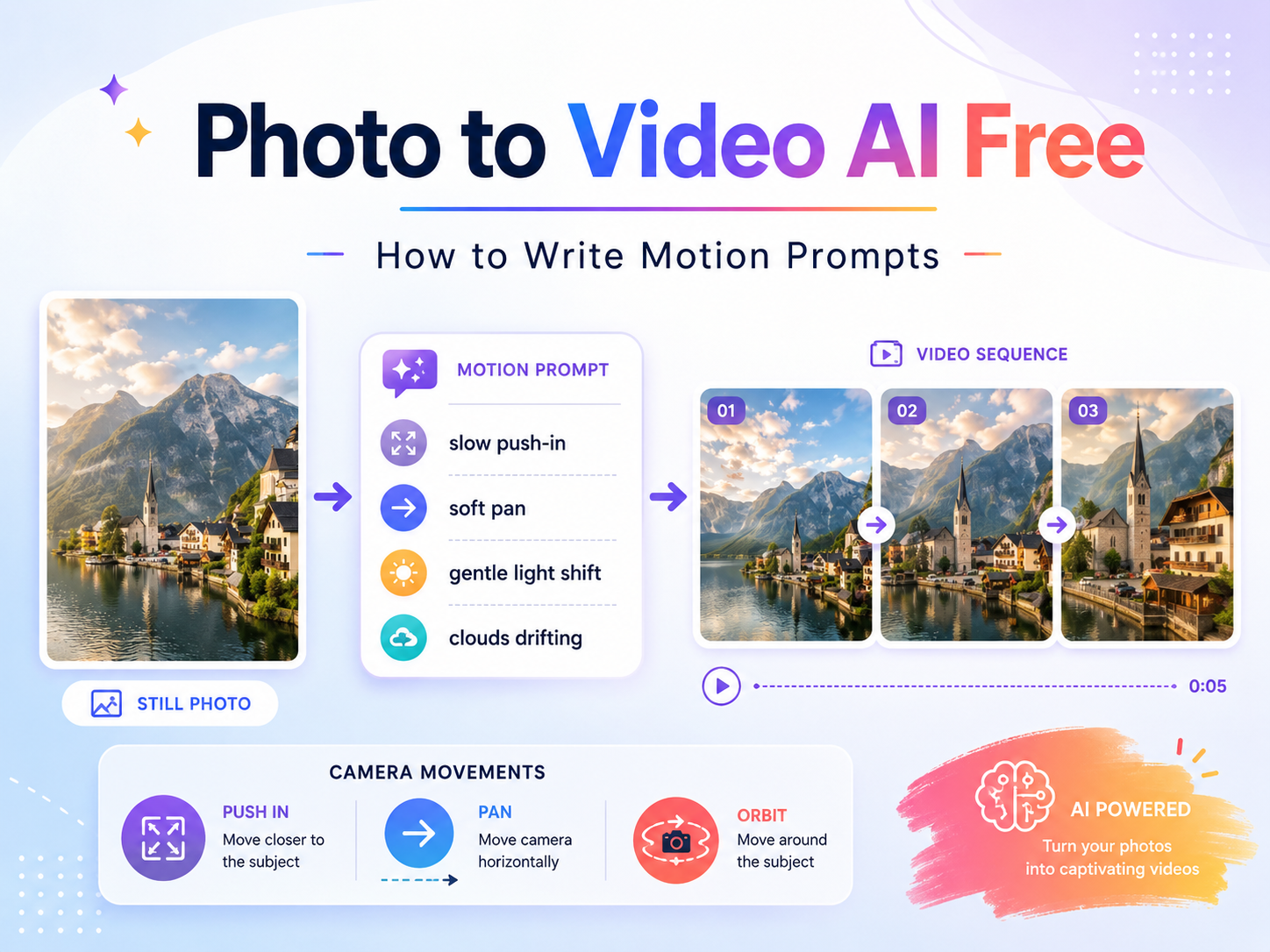
A still image becomes more useful when motion feels planned, not random. Therefore, photo to video ai free work should begin with a clear motion prompt before generation starts. This guide explains how to write practical photo animation prompts, choose camera movement, test short clips, and turn one image into a more useful AI video asset.
Why Motion Prompts Matter More Than Long Prompts
First, a motion prompt is not a full video script. It is a short instruction that tells an AI video generator how a still image should move. As a result, the best prompt gives direction without crowding the scene.
However, many weak prompts try to do too much. They ask for fast camera motion, dramatic lighting, weather changes, object changes, and new action at the same time. That often creates messy movement because the image no longer has one clear visual path.
Instead, a useful photo animation prompt focuses on one subject, one motion idea, and one camera movement. For example, a product image may need a slow push-in with a soft reflection across the label. Meanwhile, a portrait may need gentle hair movement and a calm background shift.
Therefore, prompt quality should come before generation volume. A clear prompt makes each test easier to judge, compare, and improve.
Best-Fit Use Cases for Motion Prompt Testing
In practice, prompt testing works best when a still image already has a clear visual goal. For social media teams, motion prompts can turn static posts into short video moments for feeds, reels, and short-form platforms. For channel planning, the official YouTube Help page on creating YouTube Shorts is also useful when planning vertical content formats.
- Creators can test portrait motion, mood clips, fashion visuals, artwork, and short storytelling scenes.
- Marketing teams can prepare campaign teasers, hero visuals, product previews, and landing page clips.
- Small businesses can reuse photos for social posts without planning a full video shoot.
- Ecommerce teams can animate product images with camera movement, light shifts, and subtle detail motion.
- Brand teams can create short intro visuals, logo moments, event teasers, and visual concept tests.
The 6-Part Formula for a Strong Photo Animation Prompt
A strong prompt usually follows a simple structure. First, name the subject. Next, describe the subject motion. Then, add camera movement, background motion, lighting, and mood.
In other words, the prompt should not ask the model to invent a whole new scene. It should guide the image into motion while keeping the original visual identity clear.
A clean prompt template
For example, this structure keeps each instruction useful: subject + subject motion + camera movement + background motion + lighting + mood. It gives the AI a clear path without adding extra noise.
A ceramic coffee cup on a wooden table, soft steam rising slowly, camera gently pushes in, morning light moves across the surface, warm and calm mood.
This prompt works because every part has a job. The cup stays stable, while steam, camera movement, and light create a short visual moment.
Camera Movement Guide for Cleaner AI Clips
Camera movement can make a short AI clip feel intentional. However, one camera move is usually enough. If a prompt combines zoom, spin, tilt, and shake, the result may lose focus.
A slow push-in works well for product close-ups, portraits, food images, and hero visuals. Meanwhile, a gentle pan works better for wide scenes, rooms, landscapes, and visual storytelling images.
Overall, subtle camera movement creates the cleanest base. After that, subject motion and lighting details can be added one step at a time.
Try one prompt first
Use Vidnix Image to Video for Focused Prompt Tests
After the prompt has one subject and one camera movement, the next step is a small test. The image-to-video tool supports a practical workflow: upload an image, add a motion prompt, choose generation settings, and compare the result before scaling.
This keeps the article’s advice connected to action. Instead of reading theory and stopping there, a prompt can move into a direct test with one source image and one clear motion idea.
Photo Animation Prompt Examples by Scene
Examples help because different images need different motion language. Still, every prompt should respect the source image. If the image is simple, the movement should stay simple too.
Product photo prompt
A premium skincare bottle on a light background, soft reflection moving across the label, slow camera push-in, gentle shadow shift, clean studio lighting, elegant and minimal mood.
This prompt keeps the product stable. Meanwhile, light and camera movement add polish without changing the product shape.
Ecommerce product prompt
A pair of sneakers on a neutral studio floor, laces moving slightly as if touched by air, camera pans slowly from left to right, soft spotlight shift, modern retail mood.
This version works well for product showcases and short ads. However, the motion stays believable because the product does not jump, stretch, or transform.
Social portrait prompt
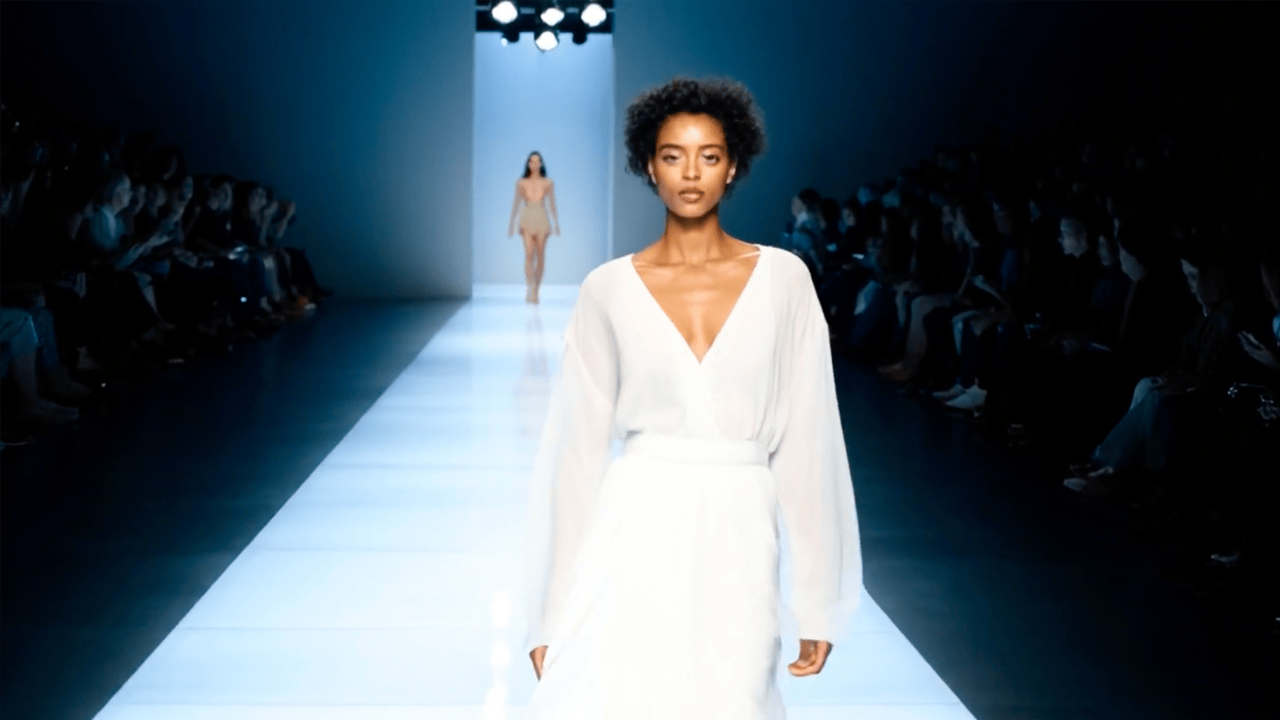
A close-up portrait in soft daylight, hair moving gently in a light breeze, camera slowly zooms in, background blur shifts slightly, calm cinematic mood.
Portrait prompts should stay natural. Therefore, small motion often feels better than dramatic facial or body changes.
Food and drink prompt
A cold drink on a cafe table, condensation glistening on the glass, bubbles rising slowly, camera pushes in gently, warm afternoon light, fresh and inviting mood.
Food and drink clips often need texture. For example, steam, bubbles, shine, or soft light movement can make the image feel alive.
Brand visual prompt
A brand logo on a dark background, soft light sweep passes across the logo, camera slowly pushes in, background particles move gently, polished tech mood.
Brand visuals should remain readable. Therefore, the logo should stay stable while lighting and background motion create energy.
Bad Prompt vs Better Prompt
A useful prompt does not need to sound fancy. Instead, it needs to describe motion clearly. The examples below show how small changes can make instructions easier for an AI video workflow to follow.
Checklist Before Generating a Clip
Before generation, inspect the still image. Is the subject clear? Is the crop clean? Does the background support motion? These questions prevent many weak tests.
Next, write one motion idea in plain language. For example, “slow push-in with soft light movement” gives clearer direction than “make this look professional.” The second phrase sounds polished, but it does not explain movement.
- Choose one main subject.
- Match the motion to the original image.
- Use one main camera movement.
- Keep background motion subtle.
- Add lighting words that support the mood.
- Avoid impossible changes that fight the image.
- Test one prompt variable at a time.
- Save strong prompts in a reusable prompt library.
Also, plan credits before producing many prompt versions. This keeps testing controlled and helps teams decide when a small prompt test is ready for a larger content batch.
Practical production advice
When to Move From Prompt Testing to Production
A single strong clip is not always enough for production. Therefore, a small workflow should compare prompt clarity, motion stability, format needs, and credit use before a larger batch begins.
For social posts, a few prompt versions may be enough. However, ecommerce visuals, product launches, and campaign pages often need more controlled testing. In that case, review video length, output format, resolution needs, and credit planning before scaling.
A simple rule works well: first test one image, then test two prompt variations, then choose the most stable motion direction. After that, production can continue with a clearer style guide.
FAQ About Motion Prompts
What is a motion prompt?
A motion prompt is a short instruction that explains how a still image should move in an AI-generated video. It can include subject motion, camera movement, background motion, lighting, and mood.
What is a photo animation prompt?
A photo animation prompt is written for a still image. In other words, it tells the AI how to add motion while keeping the original image recognizable.
Which camera movement is safest for a first test?
A slow zoom in is often the safest starting point. It adds focus, works across many image types, and reduces the risk of chaotic motion.
How long should a motion prompt be?
A useful prompt is usually one to three sentences. However, it should include enough detail to explain the subject, motion, camera direction, lighting, and mood.
Why does an AI photo animation look unnatural?
Unnatural results often come from unclear prompts, too many actions, mismatched camera movement, or source images with limited visual depth. Therefore, simpler prompts usually work better during early testing.
Final Takeaway: Write Better Prompts Before Generating
A strong AI photo animation starts with control. First, the prompt should name the subject. Next, it should describe one natural motion. Then, it should add one camera movement, one lighting direction, and one mood.
For a smoother first test, photo to video ai free content should focus on prompt quality before volume. Finally, Vidnix AI gives prompt testing a clearer path: start with one image, test one motion idea, compare the result, and scale only when the direction is stable.
- Start with one clean image and one main motion idea.
- Use slow camera movement before testing complex animation.
- Save strong prompts in a reusable prompt library for future clips.
The next step is simple: choose one image, write one focused motion prompt, and test whether the movement supports the content goal.