
Animate Art, Anime-Style Scenes, and Illustrations with AI
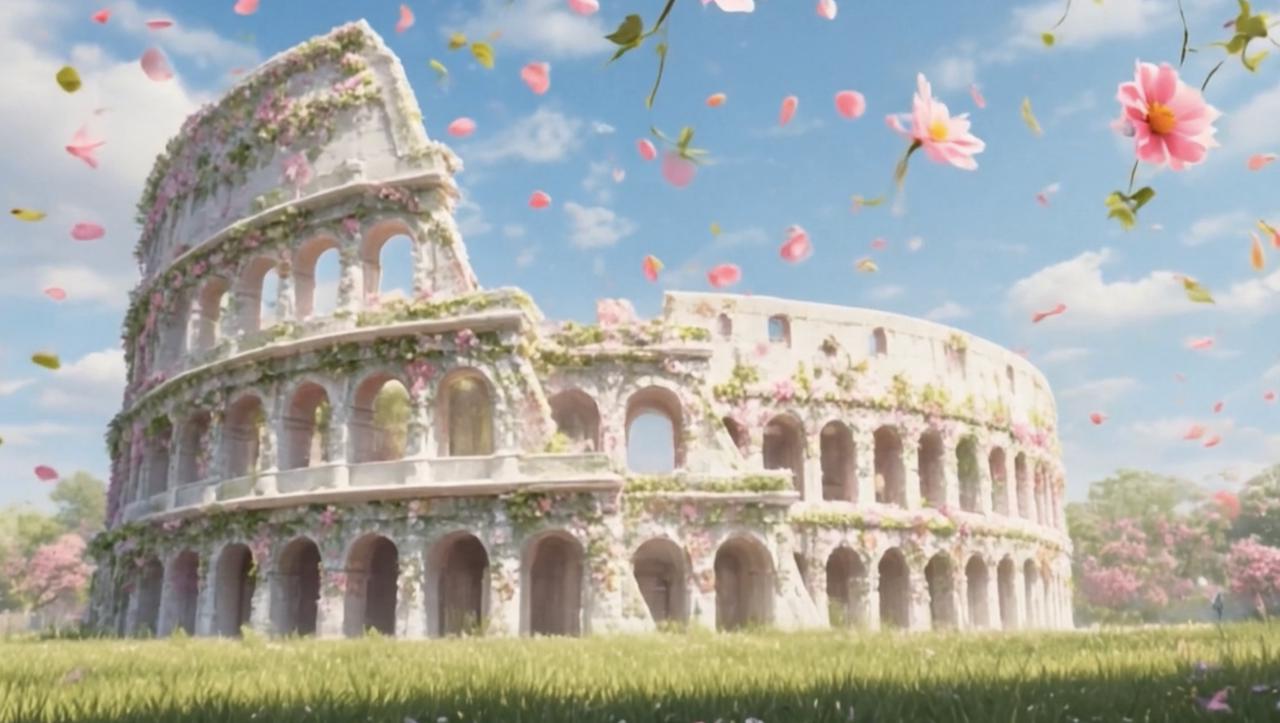
First, a strong still image already carries mood, color, composition, and story. However, modern creative channels often need motion to make a visual feel alive. An ai image animator can turn artwork, anime-style images, character concepts, product visuals, and illustrations into short motion clips for social posts, portfolios, launch pages, ads, and creative campaigns.
Quick Navigation
Why Motion Matters Creative Use Cases Best Fit Prepare Artwork Prompt Workflow Selection Path Anime Image to Video Illustration Animation Quality Review Related Reading FAQ
Why Still Artwork Often Needs Motion
Today, visual content moves through crowded feeds, fast landing pages, short ads, and quick-scroll platforms. Meanwhile, a still image may show style but not always create enough momentum. Motion can add depth, rhythm, and atmosphere without changing the original creative idea.
For example, a fantasy artwork can feel richer when mist drifts through the background. Similarly, a product illustration can feel more polished when light moves gently across the scene. In both cases, the image stays clear, yet the visual feels more alive.
However, animation should not become noise. Strong artwork rarely needs movement in every corner. Instead, a slow camera push, soft particles, moving light, or subtle background motion can guide attention toward the main subject.
Therefore, the best image animation feels like an extension of the original image. It should not erase the art direction. It should add mood, platform value, and a clearer reason to keep watching.
In practical creative work, this matters because one image often needs to serve several channels. A poster may appear on a website. The same visual may also support a short post, an ad concept, a launch teaser, or a portfolio update. As a result, motion helps the image travel further without requiring a full production pipeline.
Creative Use Cases for Animated Artwork
First, animated artwork works well for social content. A single illustration can become a short loop, teaser, reveal, or mood clip. As a result, one creative asset can support more formats across vertical posts, story placements, feed content, and short campaign videos.
Second, anime-style image to video workflows can support original character scenes. Hair movement, fabric motion, soft light, rain, glowing signs, and drifting particles can add presence. However, original artwork or properly licensed visuals should stay at the center of the workflow.
Third, illustration animation can make brand graphics feel less static. A mascot, poster, packaging concept, product render, event graphic, or seasonal visual can gain motion while keeping the same message. In addition, the same asset can support a landing page, ad test, newsletter header, and social post.
Fourth, ecommerce teams can use animated product visuals for launches and campaign moments. A product render may need a slow push-in, soft reflections, background glow, or gentle depth. Still, the product should stay sharp and easy to recognize.
Finally, artists and creative teams can use animation for portfolio previews. A finished piece can become a short visual moment. Therefore, the artwork gains presentation value without requiring full frame-by-frame animation.
Best Fit: Which Projects This Workflow Supports
This workflow is most useful when a strong image already exists and only needs motion. For example, a creator may want to animate artwork for a portfolio post. A social team may need several short visual variations from one campaign image. A product team may need a simple motion teaser before a launch.
Meanwhile, small teams can use this process to test creative direction before investing in a larger video. One still image can become a calm version, a cinematic version, or a product-led version. Therefore, motion becomes a way to compare ideas quickly.
Suitable for These Projects
- Original artwork previews for social posts, portfolios, and personal creative pages.
- Anime-style image to video clips for original character reveals and mood scenes.
- Illustration animation for campaign posters, product concepts, and brand graphics.
- Short product motion visuals for landing pages, launch teasers, and paid creative tests.
- Fast creative variations when a team needs several motion directions from one still image.
- Website visuals that need subtle movement without a full video shoot.
How to Prepare Artwork Before Animation
First, start with a clean source image. A clear subject helps the animation stay stable. Also, a balanced composition gives the movement more room to breathe.
Next, check the focal point. The main character, product, object, or visual idea should be obvious in the first second. Therefore, the background should support the subject instead of fighting for attention.
In addition, remove unnecessary text when possible. Tiny letters can distort during motion. If text must stay in the image, it should be large, simple, and placed away from heavy movement.
Meanwhile, aspect ratio should match the final channel. Vertical images work better for short-form posts. Wide images work better for landing pages, hero sections, and portfolio headers. Square images can support feed posts and compact ads.
Finally, keep one untouched master file. A clean original makes revisions easier. If the first motion result feels too intense, the same image can support a calmer prompt without restarting the workflow.
Artwork Preparation Checklist
- Use original or licensed visuals. This keeps public publishing safer.
- Choose a clear subject. Faces, products, objects, and main shapes should be readable.
- Reduce clutter. Too many small details can make movement feel unstable.
- Match the frame to the channel. Vertical, square, and wide formats serve different placements.
- Avoid tiny text. Small letters may not remain clean during motion.
- Define the mood early. Motion should support the image’s feeling.
A Practical Prompt Workflow for Image Animation
First, define the role of the motion. A product teaser needs clarity. A fantasy scene needs atmosphere. An original character reveal needs mood, expression, and controlled movement.
Then, write the prompt around four parts: subject movement, camera movement, background movement, and mood. This structure keeps the instruction focused. Also, it reduces the chance of asking for too many changes at once.
For example, a calm illustration can use a prompt like this: “slow camera push-in, soft glowing particles, gentle wind, dreamy evening light.” This prompt gives direction without forcing the artwork into a new scene.
Similarly, an anime-style image can use “subtle hair movement, soft blinking city lights, light breeze, slow camera pan.” The movement stays small, yet the frame gains life. Therefore, the image remains recognizable.
In practice, shorter prompts often work better than crowded prompt blocks. Clear words like subtle, gentle, slow, soft, atmospheric, clean, cinematic, and controlled can help. However, those words should connect to the image instead of becoming generic filler.
Recommended Selection Path
A good tool choice depends on the source image and the desired output. Therefore, the next step should follow the creative job, not a generic feature list. This path keeps the workflow simple and helps each project move from idea to motion faster.
Step-by-Step Workflow to Turn Art into Motion
First, choose one finished image. A strong source file saves time because the core idea already works. In addition, a finished image makes it easier to judge whether motion improves the concept.
Second, decide the output purpose. A social loop, landing page visual, portfolio teaser, and product reveal all need different pacing. Therefore, the creative goal should come before the prompt.
Third, select a motion style. A painted scene may need atmosphere. A product visual may need a clean camera move. An anime-style portrait may need small expression, hair movement, fabric motion, and background light.
Fourth, use image-based motion when the project starts from a still visual. This workflow fits artwork, product images, posters, character concepts, and illustration files. Moreover, it keeps production focused on image-based motion instead of full video editing.
Fifth, generate a simple version before adding detail. A restrained first test makes problems easier to spot. If the result feels flat, add one background movement. If the result feels busy, remove one action.
Finally, review the clip on the intended channel. A video that looks clean in a large preview can feel crowded on a phone. As a result, platform review should happen before publishing or scaling the idea.
- Select a finished image with a clear subject.
- Choose the publishing format before generating motion.
- Write one focused prompt around motion and mood.
- Generate a simple first version.
- Review subject stability, composition, and platform fit.
- Refine only one element at a time.
Animate artwork with video effects
When Video Effects Make Sense
Sometimes, a still image needs more than a soft camera move. A campaign visual may need a stronger theme, a scene-like treatment, or a more dramatic feeling. In that case, video effects can support a clearer creative direction when the effect matches the image.
However, effects should not overpower the artwork. A strong effect can attract attention, yet it can also weaken visual consistency. Therefore, the effect should match the mood, brand tone, and final placement.
For example, a calm art print may need only atmosphere and depth. Meanwhile, a futuristic concept image may support sharper light, stronger camera movement, and more energetic pacing. The right choice depends on the source image, not the trend.
Also, creative direction should stay realistic. A prompt should not ask for a complex full scene if the source image is better suited to short motion. In other words, practical instructions usually lead to cleaner results.
For marketing use, restraint can feel more premium than spectacle. A short animated clip should still feel on-brand. Therefore, effects should serve a clear purpose, such as creating atmosphere, highlighting a subject, or giving a still image a stronger opening moment.
Start with One Artwork, Then Test Motion
A practical first step is to select one finished image and create a short motion version. This keeps the test focused and makes it easier to compare whether subtle animation, video effects, or image-to-video motion works best.
Anime Image to Video: Safe Creative Direction
First, anime-style motion works best with original characters, owned visuals, or licensed assets. This keeps the creative route safer for public posts, campaign materials, and commercial pages. In addition, it avoids relying on protected characters or recognizable franchise elements.
Next, the prompt should preserve the character design. A useful prompt may describe hair motion, soft wind, background lights, floating petals, or slight camera movement. However, it should not ask the system to create a new identity or imitate a protected work.
Also, facial movement should stay subtle unless the image clearly supports it. A calm portrait may look more natural with background motion and soft lighting. Meanwhile, dramatic facial action can feel unstable if the still image does not provide enough visual information.
Therefore, the safest anime-style workflow uses controlled movement. Light wind, blinking city signs, drifting rain, glowing particles, and slow camera movement can add life without turning the clip into a different scene.
For broader context, WIPO’s overview of AI and intellectual property explains why copyright, ownership, and protected works remain important when AI-assisted content becomes part of creative production.
Prompt Examples for Original Anime-Style Art
- Subtle hair movement, soft city lights in the background, light wind, slow camera pan.
- Floating petals, gentle fabric motion, dreamy evening glow, slow push-in.
- Soft rain in the background, calm expression, neon reflections, smooth camera movement.
- Light breeze, moving clouds, gentle depth effect, preserve original character design.
Illustration Animation for Campaigns and Portfolios
Illustration animation can support many creative formats. For a portfolio, it can present a finished piece with more atmosphere. For a campaign, it can help a key visual feel more active. For a product concept, it can add depth before larger production begins.
However, the animation should follow the illustration style. A flat vector design may need clean shape movement. A painterly landscape may need light, fog, sky, or camera motion. A character illustration may need small expressive details and background movement.
In addition, the message should stay readable. If the clip supports a campaign, the visual idea should be clear quickly. If it supports a portfolio, the motion should enhance craft instead of hiding the artwork.
Therefore, a repeatable review process helps. The clip should be checked for style consistency, subject clarity, motion smoothness, and platform fit. These checks can prevent a good image from becoming an unfocused video.
Useful Illustration Motion Ideas
- Slow parallax-style movement for landscape depth.
- Gentle background particles for fantasy artwork.
- Soft light movement for product concept visuals.
- Calm camera push-in for poster-style art.
- Subtle environmental movement for seasonal graphics.
- Clean animated shapes for brand illustration systems.
Workflow Ideas for Social, Brand, and Ecommerce Teams
First, social teams can build more variations from existing images. A campaign poster can become a short reveal. A brand illustration can become a loop. A character visual can become a mood clip for a launch sequence.
Meanwhile, ecommerce teams can animate product visuals for teasers, ads, and landing page sections. The motion should stay clean and controlled. In product content, clarity matters more than spectacle.
Also, small teams can use image animation to test ideas before larger production. One source image can become several short motion directions. For example, one version may feel calm, another may feel dramatic, and another may feel more commercial.
Therefore, animated images can support creative planning. They help compare pacing, mood, visual hierarchy, and message clarity before a final campaign direction is chosen.
For steady production, format planning also matters. Vertical clips can support short-form content. Wide clips can support landing pages and website sections. Square clips can support feed posts and compact ads.
How to Review Animated Artwork Before Publishing
First, check the subject. The main figure, object, product, or visual symbol should remain stable. If the subject changes too much, the prompt may need less movement.
Next, watch the first second carefully. Many viewers decide quickly whether to keep watching. Therefore, the opening frame should show the subject and mood without delay.
Also, review the clip without sound. Social content often starts muted, and website motion may not include audio. As a result, the movement and visual message should work on their own.
Then, test the clip at mobile size. Details that look fine on a large screen can feel crowded on a phone. Small text, busy particles, and fast movement can become harder to read.
Finally, compare the animated version with the original still image. The clip should feel like the same creative idea with added motion. If it feels unrelated, the prompt may be too broad.
- The subject stays recognizable throughout the clip.
- The motion supports the artwork rather than distracting from it.
- The first second communicates the visual idea clearly.
- The clip works without sound.
- The final format looks clean on mobile.
- The visual rights are clear for the intended use.
- The final version matches the brand or portfolio style.
Common Mistakes to Avoid
First, avoid overloading the prompt. Too many actions can make the clip feel unstable. For example, running, spinning camera movement, blinking lights, moving clothes, heavy particles, and scene changes in one prompt may reduce clarity.
Second, avoid vague creative direction. Words such as “cool” or “viral” do not explain motion. Instead, a stronger prompt describes the camera, subject, background, and mood.
Third, avoid mismatched formats. A wide artwork may not work well as a vertical clip without careful cropping. Likewise, a tight portrait may not need a large camera pan.
Fourth, avoid using unclear rights. Original images, licensed visuals, owned product assets, and approved brand graphics are safer. Moreover, protected characters and recognizable third-party IP should not be used without permission.
Finally, avoid publishing without review. A clip can look exciting during generation but still fail in context. Therefore, final review should happen inside the actual social, ad, or page layout whenever possible.
Where Vidnix Fits in the Creative Workflow
Vidnix fits best when a creative project starts with an image and needs short-form motion. The still visual may be artwork, an original character image, a product render, a brand graphic, a concept scene, or a campaign illustration. Then, the motion prompt gives the clip direction.
However, the platform should be part of a clear creative process. Strong inputs, focused prompts, and careful review still matter. Therefore, human art direction remains important even when AI helps generate the motion.
For image-based projects, the create AI video from image workflow can support quick testing. A team can generate one simple version, review the result, and adjust the prompt before building a larger content set.
For regular production, planning credits and output volume also matters. When content needs grow, the pricing and credits page can help align creative testing with production needs.
Related Reading and Useful Vidnix Pages
Additionally, these pages support the same creative path. Each page helps move from still-image planning to tool selection, motion testing, and production planning.
Image to Video
Useful when the project starts from one still artwork, product image, portrait, or illustration.
Video Effects
Useful when a visual needs a more stylized effect, themed motion, or stronger visual treatment.
Pricing
Useful when creative testing needs to be planned around credits, output volume, and ongoing production.
FAQ
What kind of images work best for animation?
Generally, clean images with a clear subject work best. Digital artwork, anime-style portraits, product renders, concept visuals, and brand illustrations can all work well when the motion prompt fits the image.
Can anime-style images be animated for social posts?
Yes, original anime-style images can become short motion clips for posts, portfolio previews, and campaign visuals. However, original or licensed artwork is the safer direction for public and commercial use.
What should a motion prompt include?
A useful prompt usually includes subject movement, camera movement, background movement, and mood. For example, “slow camera push-in, soft particles, gentle lighting shift, calm mood” gives a clear direction.
Is image animation the same as full animation?
No. Image animation starts from one still image and adds motion. Full animation usually needs more planning, timing, scene control, and frame-by-frame production. Therefore, image animation is better for short clips, teasers, and creative tests.
Can animated illustrations support ecommerce content?
Yes. Animated illustrations can support product teasers, launch visuals, ads, and landing page sections. However, the product or main visual should stay clear and recognizable.
How long should an animated artwork clip be?
Short clips usually work best for social content, landing page motion, product teasers, and portfolio previews. The right length depends on the channel, the message, and the motion style.
Conclusion: Turn Still Creative Assets into Motion
In conclusion, still artwork does not need to stay still. With a clean source image, a focused prompt, and a practical review process, art, anime-style images, and illustrations can become short motion clips for modern creative channels.
However, the strongest results usually come from simple choices. Clear subjects, subtle movement, clean aspect ratios, original or licensed visuals, and platform review all matter. In addition, restrained motion often looks more polished than heavy effects.
Finally, Vidnix gives creative teams a practical way to explore image-based motion. For artwork, anime-style scenes, product visuals, and illustration animation, the ai image animator workflow offers a focused starting point for turning still visuals into short creative clips.
- Start with one strong image. Clear composition makes better motion easier.
- Write one focused prompt. Describe subject movement, camera movement, background motion, and mood.
- Review before publishing. Check mobile clarity, subject stability, visual rights, and brand fit.
Ready to Animate Artwork?
Start with one finished image, choose a clear motion direction, and test a short creative clip with Vidnix.