
AI Photo to Video Generator: From Product Shot to Ad
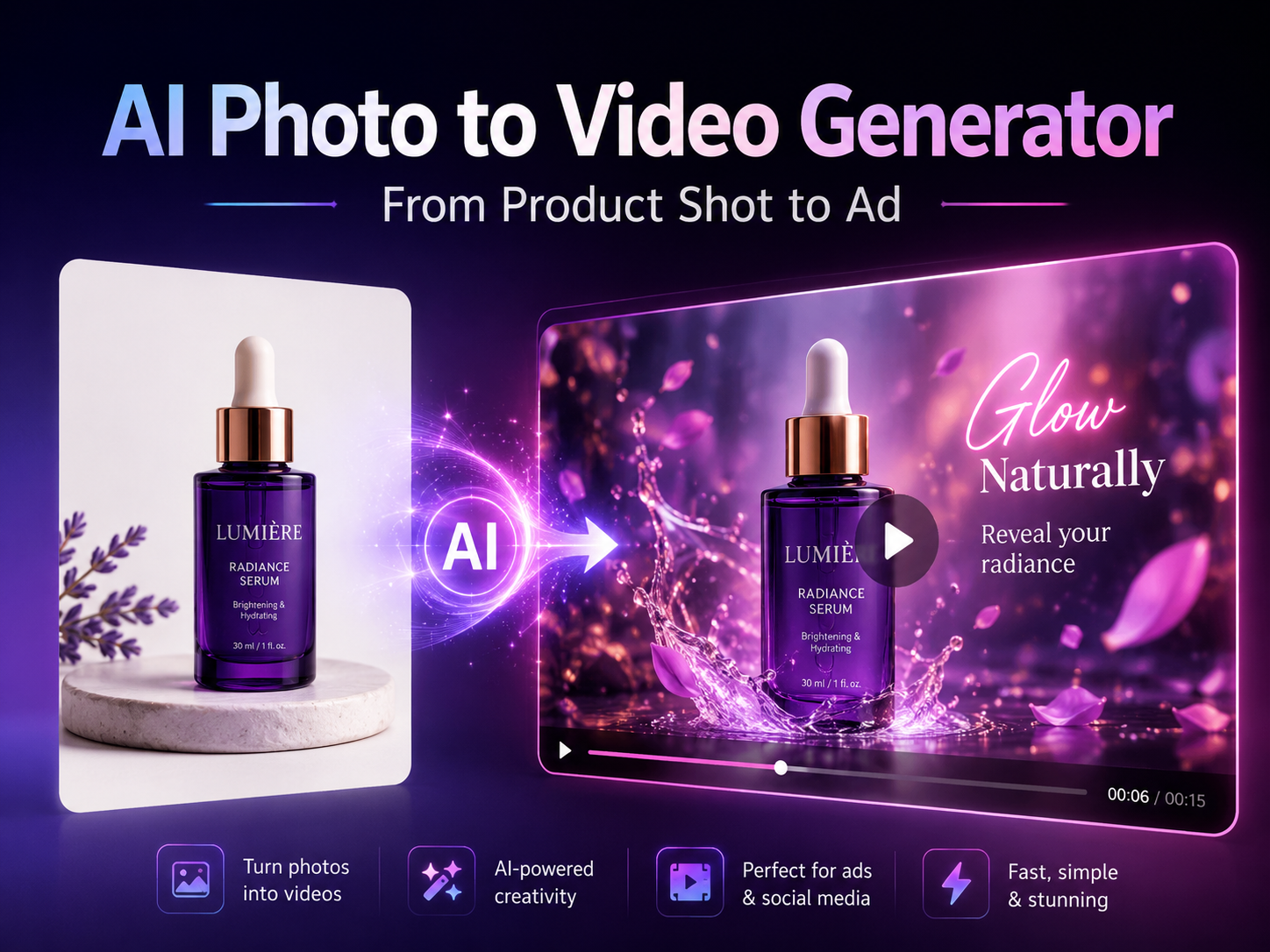
A clean product photo can explain shape, color, texture, and packaging. However, a short motion clip can show the same product with stronger ad energy. This guide explains how an ai photo to video generator can help turn one approved product shot into campaign-ready video ideas, product showcases, and creative mockups for ad delivery.
The workflow stays focused on product advertising. It covers image preparation, motion prompts, showcase planning, approval mockups, format checks, pricing review, and the next action after the article.
Why Product Shots Need Motion for Ad Delivery
First, a static product image is often the fastest creative asset available. A bottle, sneaker, watch, food package, gadget, accessory, or decor item can be photographed once and reused across several placements. However, static visuals may feel too flat when a campaign needs movement, atmosphere, or a stronger opening frame.
Meanwhile, product ad videos do not always need a full production shoot. A short motion concept can help test creative direction before heavier editing begins. As a result, the product image becomes more than a catalog asset.
For example, a skincare bottle can move through soft studio light. A sneaker can appear with a low camera slide and subtle floor texture. A tech accessory can sit in a clean desk scene with controlled glow. In each case, motion should support the product message instead of hiding the product behind effects.
Best Fit for This Workflow
In practice, this workflow works best for creators, marketers, social media teams, ecommerce teams, small business teams, and creative studios that already have product photos but need more ad-ready motion.
- Use it when one product image needs three to five short ad directions.
- Use it when a landing page needs a subtle product motion loop.
- Use it when a campaign pitch needs visual motion before final editing.
- Use it when social posts need fresh product clips without changing the core product image.
The Simple Workflow: From Product Shot to Video Ad
First, define the ad purpose before opening any tool. A product reveal needs a different motion style from a benefit highlight. A social teaser needs a different pace from a website hero loop. Therefore, the creative goal should lead the video prompt.
Next, choose the product image and decide the main motion. The camera may push in, slide sideways, orbit slowly, or reveal the item from a close detail. Also, the background should match the product category.
Then, generate a small group of variations. Three versions are often enough for the first review: one premium reveal, one fast social teaser, and one detail-focused showcase. After that, the strongest version can move into editing for text overlay, logo placement, sound, captions, and export format.
Start With the Image-to-Video Workflow
Once the product image and prompt direction are ready, use Vidnix to turn the still image into a short motion clip. Start small, compare the output, and refine the next prompt based on product accuracy.
Try Image to Video Check Credits FirstPrepare the Product Image Before Generation
First, the product image should have one clear hero object. A crowded flat lay may look attractive, but it can confuse motion generation. By contrast, a clean product shot gives the tool a stronger anchor for shape, edge, and label stability.
Also, the image needs enough space around the product. A tight crop may work for a catalog grid, yet it can feel cramped when the camera pushes in or slides. Therefore, leave room above, below, and beside the product whenever possible.
In addition, source quality affects the final clip. Low resolution, harsh glare, uneven shadows, and blurry labels can become more visible after motion is added. For that reason, the best source image should look close to the final campaign style before generation begins.
Image Readiness Checklist
- First, use one main product instead of a cluttered scene.
- Next, keep the product label, logo, and shape clearly visible.
- Also, leave enough negative space for camera movement.
- Then, avoid source images with strong blur, glare, or strange shadows.
- Finally, match the background mood to the intended ad placement.
Write Motion Prompts Like Short Ad Directions
Next, the prompt should describe motion, not just style. A weak prompt says, “make this look cinematic.” A stronger prompt explains the camera movement, product stability, lighting, background, and restrictions. As a result, the output becomes easier to review and refine.
For example, a beauty product prompt can request a slow camera push, soft studio light, and a clean surface. A tech product prompt can request a smooth side slide, cool glow, and minimal desk setup. Meanwhile, a food package prompt can request warm daylight, natural shadows, and a gentle zoom.
However, too many effects can weaken the product message. Heavy particles, fast camera spins, crowded backgrounds, and dramatic scene changes may hide the item. Therefore, a good ad prompt usually has one main motion idea and one clear product rule.
Prompt Examples for Product Ads
Beauty product: A clean skincare bottle on a soft beige studio surface, slow camera push-in, gentle highlight across the label, subtle background mist, premium ad mood, keep the bottle shape and label clear.
Tech accessory: A wireless charger on a dark desk, smooth side camera slide, subtle cool light glow, modern workspace background, crisp product edges, keep the object stable and avoid adding extra devices.
Food package: A snack package on a warm kitchen counter, slow zoom-in, natural daylight, soft shadows, friendly social ad style, keep packaging text clear and avoid changing the product.
Create AI Product Showcase Clips With a Clear Ad Role
After the prompt is ready, the product showcase should have one clear role. It may introduce the product, reveal texture, show packaging detail, suggest a use scene, or create a launch mood. Therefore, the first frame and the motion should both support the same message.
For example, a premium reveal works well for refined packaging and detail-led products. A material close-up works well for fabric, leather, glass, metal, cream, or matte surfaces. Meanwhile, a fast social teaser works well when the first second needs stronger movement.
In addition, the video should leave space for ad copy when needed. A vertical social video may need room near the top or bottom for text. A website hero loop may need open space on one side. A product page video may need slower motion so details remain easy to see.
Use Effects Only When They Support the Product
Effects can help a product clip feel more active. However, they should not cover the product, change the package, or make the ad harder to understand.
Explore AI Video EffectsUse Creative Mockups Before Final Ad Editing
Next, creative mockups help turn a written idea into something visible. A mood board can explain style, but a moving sample shows pacing, camera direction, and product focus. As a result, feedback becomes more specific.
For instance, one product image can become three directions. The first version can feel premium and slow. The second can feel bold and energetic. The third can feel clean and ecommerce-ready. Then, the stronger direction can move into final editing.
However, a mockup should not be treated as final until it passes product and format review. The product shape, label clarity, lighting consistency, background behavior, and placement fit all need checking. This protects the final asset from looking rushed.
A Practical Mockup Package
- First, include the original product photo for accuracy comparison.
- Next, include three short motion directions with clear file names.
- Also, save the prompt used for each version.
- Then, note the intended placement, such as social feed, landing page, or product page.
- Finally, list the next edit needed before launch.
Quality Checks Before Using the Clip in Ads
First, review product accuracy. The product should keep its shape, logo, color, material, and proportion. If the video changes the item too much, the prompt needs stronger restrictions or the source image needs improvement.
Next, review camera movement. Smooth movement can make a product feel polished. Sudden jumps, unstable zooms, or warped edges can make the asset feel unfinished. Therefore, slower camera direction is often safer for product ads.
Also, check the first second. Product ad videos need fast clarity, especially for social placements. If the product is not easy to understand at the start, the opening frame should be simplified.
Finally, review platform requirements before publishing. For example, Google Ads provides official guidance on video ad formats, so campaign assets should be checked against the placement rules before launch. Review Google Ads video ad formats.
Use Advice: When to Generate, Test, and Review Credits
First, use a small test round when the campaign direction is still open. Three to five short clips are enough to compare camera movement, product stability, and background mood. This keeps early exploration focused and avoids wasting credits on random prompts.
Next, review pricing before larger batches. Product ad work often needs multiple versions, especially when different placements require different formats. The pricing and credits page helps plan generation volume before production scales.
Finally, use support when the workflow needs clarification. If questions appear around access, credits, account use, or workflow fit, the contact page gives a direct path for help.
Plan Credits Before Larger Ad Batches
A small test round can confirm direction. Larger batches need more planning, especially when each placement needs a different format, prompt, or variation.
Review Pricing & Credits Contact VidnixRelated Vidnix Paths
Image to VideoUse this path when one product image needs controlled motion for ads, showcases, and social clips. Open Tool |
Video EffectsUse effects carefully when a campaign needs a stronger hook without losing product clarity. View Effects |
PricingReview credits before turning one product direction into a larger ad variation set. Check Pricing |
FAQ
Conclusion: Turn Product Photos Into Clearer Ad Videos
In summary, a product shot becomes more useful when it has a clear motion plan. Start with a clean image. Choose one ad moment. Write a controlled prompt. Generate a small group of variations. Then review every clip for product accuracy, format fit, and campaign clarity.
Finally, Vidnix gives a direct path from product photo to short ad video testing. With the right prompt and review process, an ai photo to video generator can help build product-centered motion for launches, social posts, landing pages, and campaign mockups.
Next Steps for Product Ad Video Creation
- First, choose one sharp product photo with clean framing and enough motion space.
- Next, create three prompt directions: premium reveal, social teaser, and product detail close-up.
- Finally, test the strongest direction in Vidnix, review the result, and prepare it for final editing.